Your physical servers are sitting idle at 15% to 20% CPU utilization while you're paying for 100% of the power, cooling, and hardware costs. Meanwhile, your competitors have consolidated 10 to 15 applications per server, pushing utilization to 80% to 85% and slashing their infrastructure expenses. That's the cost of not understanding virtualization.
The stakes are higher than wasted hardware. When disaster strikes, teams spend hours or days recovering physical servers while virtualized environments restore from snapshots in minutes. Need to scale for a traffic spike? Physical provisioning takes weeks or months. Virtualized resources deploy in minutes. This gap doesn't just affect your budget. It determines whether you can compete in markets where Netflix, Capital One, and thousands of other companies use virtualization for instant scalability and 50% cost reductions.
You'll discover the specific types of virtualization powering modern cloud computing, how hypervisors actually work, and which approach fits your infrastructure needs, whether you're running enterprise workloads with virtual machine hosting, deploying on a bare metal server, or building at the edge.
What is virtualization in cloud computing?
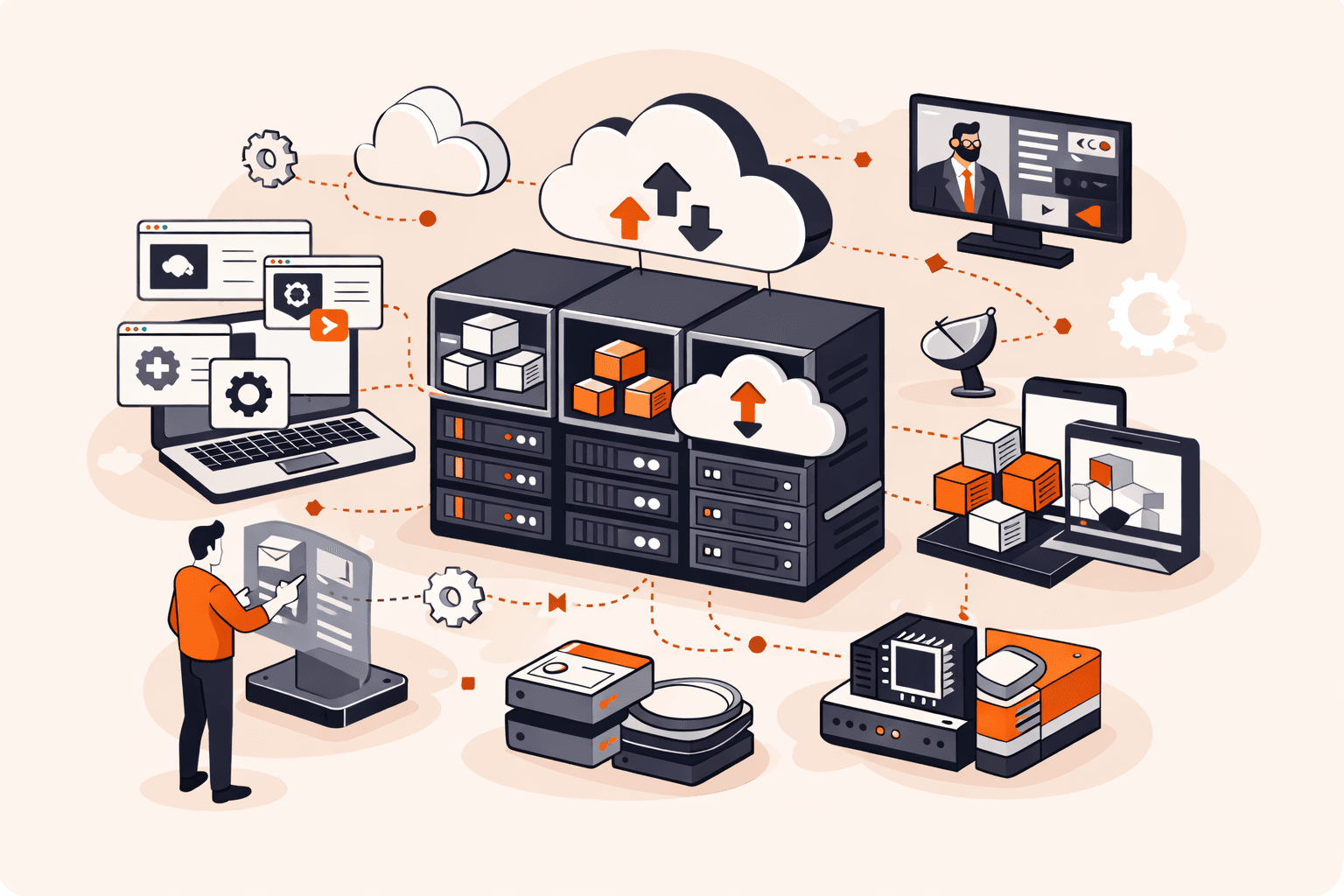
Virtualization in cloud computing creates software-based versions of physical computing resources like servers, storage devices, and networks. Instead of running one operating system on one physical server, you can run multiple virtual machines (VMs) on a single piece of hardware, each with its own isolated environment. A hypervisor sits between the physical hardware and the virtual machines, managing how resources like CPU, memory, and storage get allocated to each VM. Physical servers typically run at just 15% to 20% capacity, but virtualization pushes that utilization up to 80% to 85% by consolidating 10 to 15 applications on a single server.
The technology fundamentally changed cloud computing economics. You can spin up a new VM in minutes rather than waiting weeks for physical server procurement. When you need more capacity, the hypervisor redistributes resources flexibly across your VMs without touching hardware. This flexibility extends to disaster recovery. VM snapshots capture entire system states in seconds, letting you restore operations in minutes instead of the hours or days required for physical server recovery.
How does virtualization work in cloud environments?
Virtualization works by inserting a software layer called a hypervisor between physical hardware and operating systems, letting multiple virtual machines run independently on a single server. The hypervisor allocates CPU, memory, storage, and network resources to each VM, creating isolated environments that behave like separate computers. Each VM runs its own operating system and applications without knowing it's sharing hardware with others.
Here's what happens in a cloud environment. When you request a VM, the hypervisor carves out a portion of the physical server's resources (say, four vCPUs and 8 GB of RAM) and assigns them to your instance. Your VM boots up in minutes, completely isolated from other VMs on the same host. If you need more resources, the hypervisor can flexibly adjust allocations without downtime.
The hypervisor also handles critical functions like live migration, moving running VMs between physical servers for maintenance or load balancing. This is why cloud providers can guarantee 99.9% uptime. Your workloads keep running even when underlying hardware needs updates. Resource pooling means cloud platforms can serve hundreds of customers from the same physical infrastructure while maintaining security boundaries. Physical servers that typically ran at 15% to 20% utilization now reach 80% to 85% by hosting 10 to 15 consolidated applications per machine.
What are the main types of virtualization?
Virtualization in cloud computing comes in several forms, each designed to abstract different layers of IT infrastructure. The main types are listed below.
- Server virtualization: This partitions a physical server into multiple isolated virtual machines, each running its own operating system and applications. It's the most common type in cloud environments, boosting hardware utilization from 15% to 20% up to 80% to 85%. Hypervisors like KVM and VMware ESXi manage these VMs, letting cloud providers run hundreds of customer workloads on shared infrastructure.
- Desktop virtualization: Users access virtual desktops hosted on centralized servers instead of running them on local hardware. Healthcare organizations rely on this approach to give clinicians secure remote access to patient data while maintaining compliance. It simplifies IT management since you can update or patch hundreds of desktops from a single control point.
- Network virtualization: Physical network hardware gets abstracted into software-based virtual networks that operate independently. You can create multiple isolated networks on the same physical switches and routers, each with custom security policies and routing rules. This flexibility speeds up network provisioning from weeks to minutes.
- Storage virtualization: Multiple physical storage devices get pooled into what appears as a single storage resource. The system handles data distribution, replication, and failover automatically across the underlying hardware. It simplifies capacity management and lets you scale storage without disrupting running applications.
- Application virtualization: Applications run in isolated containers or sandboxes separate from the underlying operating system. Users can access these apps without traditional installation, and IT teams can deploy updates without touching individual devices. This method reduces compatibility issues between different software versions.
- Data virtualization: Information from multiple sources gets unified into a single virtual layer without physically moving or replicating the data. Applications query this virtual layer instead of connecting directly to each database or file system. It cuts down on data duplication and gives you real-time access across distributed systems.
What are the different hypervisor types?
Hypervisors fall into two main categories based on how they interact with hardware: Type 1 (bare-metal) and Type 2 (hosted). The hypervisor types are listed below.
- Type 1 hypervisor: This runs directly on physical hardware without needing a host operating system, making it the standard choice for production cloud environments. Type 1 hypervisors like VMware ESXi and KVM deliver better performance because they eliminate the overhead of an underlying OS. Cloud providers typically achieve 80% to 85% CPU utilization with Type 1 hypervisors compared to 15% to 20% on physical servers.
- Type 2 hypervisor: This runs on top of a host operating system like Windows or Linux, making it simpler to set up but less efficient. You'll see Type 2 hypervisors like VirtualBox or VMware Workstation used mainly for development and testing rather than production workloads. The extra OS layer adds latency and resource overhead that makes Type 2 unsuitable for high-performance cloud infrastructure.
- Bare-metal hypervisor: Another term for Type 1, emphasizing that it sits directly on the hardware layer. This architecture gives the hypervisor complete control over CPU, memory, and storage resources. Major cloud platforms rely on bare-metal hypervisors because they can allocate resources more efficiently across hundreds of VMs.
- Hosted hypervisor: This is the alternative name for Type 2, highlighting its dependency on a host OS. While hosted hypervisors are easier to install and manage on desktop systems, they can't match the performance or scalability of bare-metal options. They're useful when you need to run a few VMs on your laptop for testing.
- Hardware-assisted hypervisor: Modern hypervisors use CPU virtualization extensions like Intel VT-x or AMD-V to improve performance. These hardware features let the hypervisor run guest OS instructions directly on the processor instead of translating them. Hardware assistance is now standard in both Type 1 and Type 2 hypervisors.
- Paravirtualization hypervisor: This requires modifying the guest OS to communicate directly with the hypervisor through special APIs. Xen pioneered this approach, which reduces overhead but limits you to compatible operating systems. The performance gains are smaller now that hardware-assisted virtualization has become standard.
- Full virtualization hypervisor: This emulates complete hardware environments so unmodified guest operating systems can run without knowing they're virtualized. Full virtualization offers better compatibility but historically required more CPU resources for instruction translation. Most modern hypervisors combine full virtualization with hardware assistance.
- Hybrid hypervisor: Some platforms blend Type 1 and Type 2 characteristics, like Microsoft Hyper-V running on Windows Server. These can function as bare-metal hypervisors while still supporting a management OS. Hybrid designs aim to balance performance with ease of administration.
What are the benefits of virtualization in cloud computing?
Virtualization in cloud computing delivers measurable improvements in resource efficiency, cost management, and operational flexibility. These benefits explain why virtualization forms the foundation of modern cloud infrastructure.
The benefits are listed below.
- Improved hardware utilization: Physical servers typically run at 15% to 20% CPU utilization, but virtualization can increase this to 80% to 85% by consolidating 10 to 15 applications on a single server. This means you get more value from existing hardware investments. Organizations reduce the total number of physical servers needed while supporting the same or larger workloads.
- Faster deployment: New VMs deploy in minutes compared to weeks or months for physical servers. You can spin up testing environments, development instances, or production workloads without waiting for hardware procurement and installation. This speed directly impacts your ability to respond to business demands and market changes.
- Cost reduction: Fewer physical servers mean lower expenses for power consumption, cooling systems, and data center space. You'll also spend less on software licenses, backup systems, and security tools since these costs typically scale with the number of physical machines. Hardware consolidation cuts both capital and operational expenses.
- Simplified disaster recovery: VM snapshots capture the entire system state in seconds, creating point-in-time backups that restore in minutes rather than hours or days. If something goes wrong, you can roll back to a known good state quickly. This capability transforms disaster recovery from a complex, time-consuming process into a straightforward operation.
- High availability: Live migration moves running VMs between physical hosts without downtime, letting you perform maintenance or balance loads without affecting users. Automatic failover keeps VMs accessible even if hardware fails. Your applications stay online while you manage the underlying infrastructure.
- Enhanced security isolation: Each VM operates in its own isolated environment, containing failures, bugs, or security breaches within a single instance. If one VM gets compromised, the isolation helps contain the breach to that instance, though hypervisor vulnerabilities could still pose risks. This isolation reduces the blast radius of security incidents.
- Easier cloud migration: VMs transfer between environments without physical hardware dependencies, making it straightforward to move workloads between on-premises data centers and cloud platforms. You can test cloud migrations with minimal risk and shift resources based on performance or cost requirements.
- Centralized management: Virtualization platforms let you control hundreds or thousands of VMs from a single interface, reducing the time IT teams spend on routine maintenance tasks. You can apply updates, monitor performance, and allocate resources across your entire virtual infrastructure efficiently.
How to choose the right virtualization type for your needs?
Choosing the right virtualization type depends on what you're trying to accomplish and the constraints you're working within. Here are the key factors to evaluate:
- Workload requirements: Match the virtualization type to your specific use case. Server virtualization works best for consolidating applications and backend services, while desktop virtualization makes sense when you need centralized management of user workspaces. If you're building network infrastructure, network virtualization lets you create isolated virtual networks without physical hardware changes.
- Performance needs: Type 1 hypervisors deliver better performance because they run directly on hardware, making them the right choice for production environments. You'll see 80% to 85% CPU utilization compared to 15% to 20% on physical servers. Type 2 hypervisors work fine for development and testing but can't match bare-metal performance.
- Scale and growth trajectory: Think about how quickly you need to scale. Server virtualization lets you deploy new VMs in minutes versus weeks for physical servers, which matters when traffic spikes or you're launching new services. Storage virtualization becomes critical when you're managing petabytes of data across multiple locations.
- Budget constraints: Hardware consolidation through virtualization cuts costs on power, cooling, and physical space. You'll also reduce licensing and backup tool expenses by running 10 to 15 applications on a single server instead of maintaining separate physical machines. Factor in the hypervisor licensing costs. Open-source options like KVM eliminate those fees entirely.
- Disaster recovery priorities: If rapid recovery is non-negotiable, virtualization enables VM snapshots in seconds and restoration in minutes. Physical server recovery takes hours or days. Look for solutions that support live migration and automated failover to maintain high availability during outages.
- Security and isolation requirements: VMs provide strong isolation to contain failures and security breaches within individual instances. However, you're adding a hypervisor layer that becomes a potential attack surface. Evaluate the security track record of your chosen hypervisor and plan for regular patching and monitoring.
- Integration with existing infrastructure: Check compatibility with your current tools and workflows. If you're already using specific management platforms or have invested in particular hardware, some virtualization types integrate more smoothly than others. Cloud migration is easier when your virtualization layer matches what major providers use.
What are the challenges and limitations of virtualization?
Virtualization challenges refer to the technical, operational, and security obstacles organizations face when using and managing virtual environments. The main challenges are listed below.
- Performance overhead: Hypervisors add a layer between VMs and physical hardware, which can reduce performance by 5% to 15% compared to bare-metal servers. This overhead affects CPU-intensive workloads like database processing or real-time analytics. You'll need to plan capacity carefully to account for this reduction.
- Security complexity: While VMs provide isolation, a compromised hypervisor can expose all virtual machines running on that host. Attackers targeting the hypervisor layer gain access to multiple systems simultaneously. This risk requires robust security measures, regular patching, and careful access controls that add management complexity.
- Resource contention: Multiple VMs sharing the same physical server compete for CPU, memory, storage, and network bandwidth. When one VM experiences high demand, it can degrade performance for others on the same host. This "noisy neighbor" problem makes capacity planning difficult and can cause unexpected slowdowns.
- Licensing costs: Enterprise virtualization platforms like VMware charge per-CPU or per-VM licensing fees that add up quickly at scale. You'll also need licenses for guest operating systems, management tools, and backup solutions. These costs can offset hardware savings, particularly for smaller deployments.
- Management complexity: Virtual environments require specialized skills to configure, monitor, and troubleshoot across hundreds or thousands of VMs. Tasks like resource allocation, snapshot management, and live migration need careful coordination. The learning curve for virtualization platforms can take months for IT teams to master.
- Storage bottlenecks: Consolidating multiple VMs on one server concentrates storage I/O operations, which can overwhelm shared storage systems. Traditional storage arrays struggle with the random read/write patterns from dozens of VMs accessing data simultaneously. This often requires expensive high-performance storage solutions.
- Backup and recovery challenges: VM snapshots consume significant storage space and can impact performance if not managed properly. Point-in-time snapshots taken in seconds sound efficient, but restoring large VMs still takes considerable time. You'll need specialized backup tools designed for virtual environments rather than traditional methods.
- Network complexity: Virtual networks add abstraction layers that make troubleshooting connectivity issues more difficult than physical networks. Traffic between VMs on the same host doesn't pass through physical switches, limiting visibility for network monitoring tools. This requires new skills and tools for network teams.
How can Gcore help with cloud virtualization?
Gcore helps with cloud virtualization by providing KVM-based virtual machines deployed across 210+ global edge locations, so you get the performance of bare-metal hypervisors with the flexibility to run workloads close to your users. Gcore infrastructure lets you spin up VMs in minutes with automated scaling, high availability, and live migration capabilities built in.
Here's what sets this approach apart. You can deploy virtualized workloads at the edge, not just in centralized data centers. This means low latency for applications that need real-time performance, whether you're running gaming servers, streaming platforms, or IoT processing. The platform combines the efficiency of server consolidation with geographic distribution, so you don't have to choose between resource optimization and user experience.
Managed virtualization handles the complexity of hypervisor management, security patching, and disaster recovery snapshots while you focus on your applications. You get the cost savings of running multiple VMs on shared hardware without sacrificing isolation or control.
Explore Gcore's edge cloud virtualization at gcore.com/cloud.
Frequently asked questions
What's the difference between virtualization and cloud computing?
Virtualization is the underlying technology that creates virtual machines, while cloud computing is a service model that delivers on-demand computing resources (often using virtualization) over the internet. Cloud platforms rely on virtualization to pool and allocate resources flexibly, but they add layers like self-service portals, pay-as-you-go billing, and automated scaling that virtualization alone doesn't provide.
Which type of virtualization is best for small businesses?
Server virtualization with a Type 2 hypervisor like VirtualBox or VMware Workstation is best for small businesses, offering low-cost testing and development environments without dedicated hardware. For production workloads, cloud-based Type 1 hypervisors (like KVM) provide better performance and scalability at 80% to 85% hardware utilization versus 15% to 20% for physical servers.
How much does cloud virtualization cost?
Cloud virtualization costs vary widely based on VM specifications, usage hours, and provider pricing models, typically ranging from $5 to $500+ per month per instance. Most cloud providers charge by the hour for compute resources (vCPUs, RAM), plus separate fees for storage, data transfer, and additional services like snapshots or load balancing.
Is virtualization secure for sensitive data?
Yes, virtualization is secure for sensitive data when properly configured with VM isolation, encrypted storage, and hardened hypervisors. However, hypervisor vulnerabilities can expose all VMs on a host, so organizations must use access controls, regular patching, and compliance measures like those required for healthcare or financial data.
What are the minimum requirements for using virtualization?
You need a 64-bit processor with hardware virtualization support (Intel VT-x or AMD-V), at least 4 GB of RAM, and sufficient storage for the host OS plus VMs. Type 1 hypervisors like KVM or VMware ESXi require dedicated hardware, while Type 2 hypervisors like VirtualBox can run on existing operating systems with lower specs.
How does containerization compare to traditional virtualization?
Containerization packages applications with their dependencies into lightweight containers that share the host OS kernel, while traditional virtualization runs full operating systems on virtual machines with separate kernels through a hypervisor. Containers start in milliseconds and use 80% less memory than VMs, but VMs provide stronger isolation and can run different operating systems on the same hardware.
Can different virtualization types be used together?
Yes, organizations commonly combine server, network, storage, and desktop virtualization in hybrid architectures to increase efficiency and flexibility. For example, you might run server virtualization with KVM for applications while using network virtualization to create isolated virtual networks and storage virtualization to pool backup resources across the same infrastructure.
Related articles
Multi-cloud and hybrid cloud represent two distinct approaches to distributed computing architecture that build upon the foundation of cloud computing to help organizations improve their IT infrastructure.Multi-cloud environments involve us
Multi-cloud is a cloud usage model where an organization utilizes public cloud services from two or more cloud service providers, often combining public, private, and hybrid clouds, as well as different service models, such as Infrastructur

Cloud migration is the process of transferring digital assets, such as data, applications, and IT resources, from on-premises data centers to cloud platforms, including public, private, hybrid, or multi-cloud environments. Organizations can
A private cloud is a cloud computing environment dedicated exclusively to a single organization, providing a single-tenant infrastructure that improves security, control, and customization compared to public clouds.Private cloud environment
Cloud networking is the use and management of network resources, including hardware and software, hosted on public or private cloud infrastructures rather than on-premises equipment. Over 90% of enterprises are expected to adopt cloud netwo
Subscribe to our newsletter
Get the latest industry trends, exclusive insights, and Gcore updates delivered straight to your inbox.